Installation.
Install Reward Loyalty on a prepared domain and prove the first operating path.
The installer takes minutes. Live in an afternoon.
That afternoon includes server preparation, DNS, transactional email, and the smoke test. The browser wizard is the short part.
Before you open the installer
Complete these guides first:
- Requirements: confirm PHP 8.4.1 or newer and the required extensions.
- Prepare your server: select PHP and extensions in the hosting control panel, create the database, set secure permissions, and check the updater path.
- Domains, DNS, and HTTPS: choose the application and staging hostnames and issue certificates.
- Email configuration: complete the pre-install provider, credential, and sending-domain work. Run its real OTP test after the installer finishes.
If you are still choosing infrastructure, use the /hosting directory. It lists practical control-panel candidates and the account checks to make before installation.
1. Download and extract the package
Download the current Reward Loyalty package through the maintained Reward Loyalty purchase route. Verify that you have the complete release package, then extract it on your workstation or in a private deployment directory.
The extracted package opens at the application root. You should see app, bootstrap, config, public, and the other top-level application files. Upload every top-level file and directory, including hidden files, into the public web directory for the application hostname.
Do not upload only the package's internal public directory. Install at a domain root such as loyalty.example.com, not at a path such as example.com/loyalty.
Keep .env, backups, database files, logs, and other private material outside public access. Use the ownership and permissions from the preparation guide. Never use 777.
2. Open the browser installer
Visit the HTTPS application URL. The installer has three stages: requirements, configuration, and installation.
Requirements
The first stage checks PHP 8.4.1 or newer, required extensions, root-directory write access, and domain-root installation.
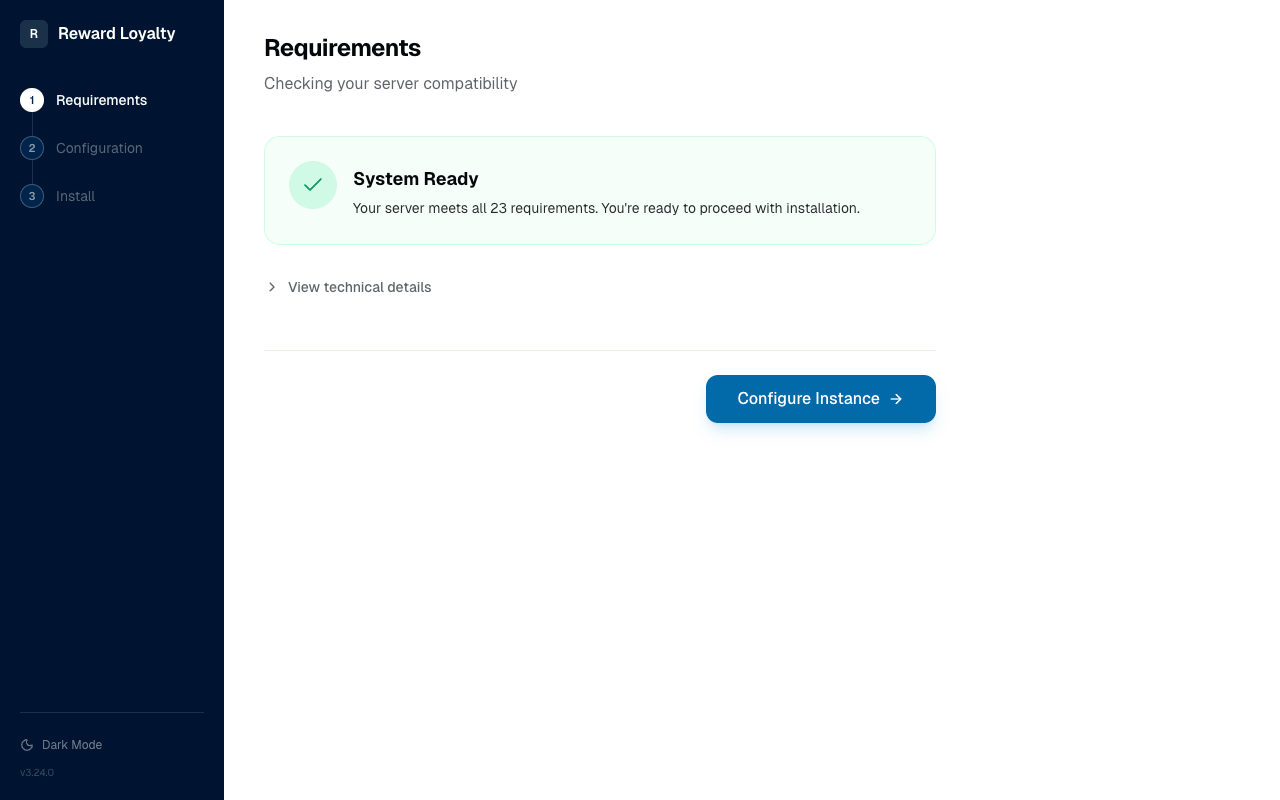
Open the technical details and resolve every failed check. If you cannot select PHP 8.4.1 or an extension in the hosting control panel, contact hosting support and ask whether the plan can provide it.
Configuration
Set the app name and timezone, then create the admin account.
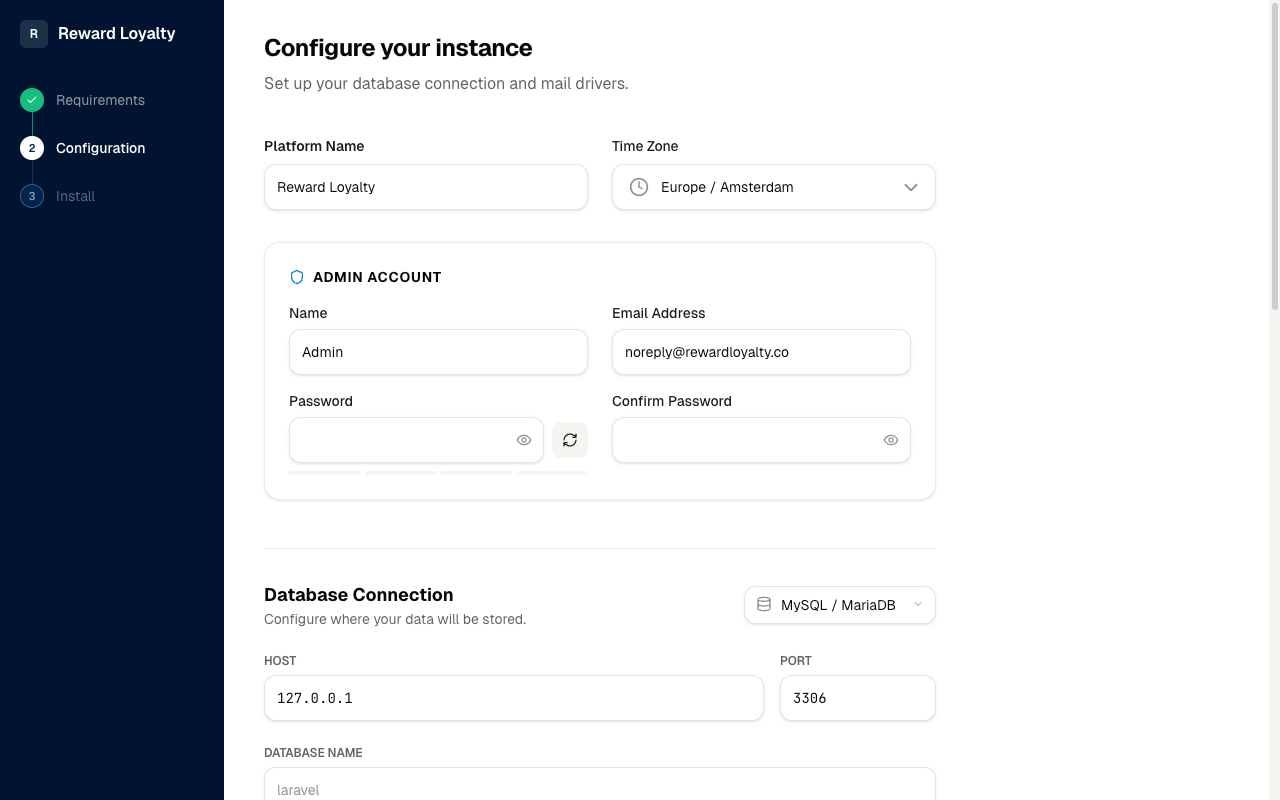
For production, choose MySQL or MariaDB and enter the dedicated database credentials you prepared for this installation. Use SQLite only for evaluation or a low-write installation.
Enter the transactional mail transport and credentials you prepared in the email guide. OTP sign-in requires email. Diagnostic mailers such as log or array cannot prove production delivery.
Ready to install
Review the application, admin, database, and mail choices before continuing.
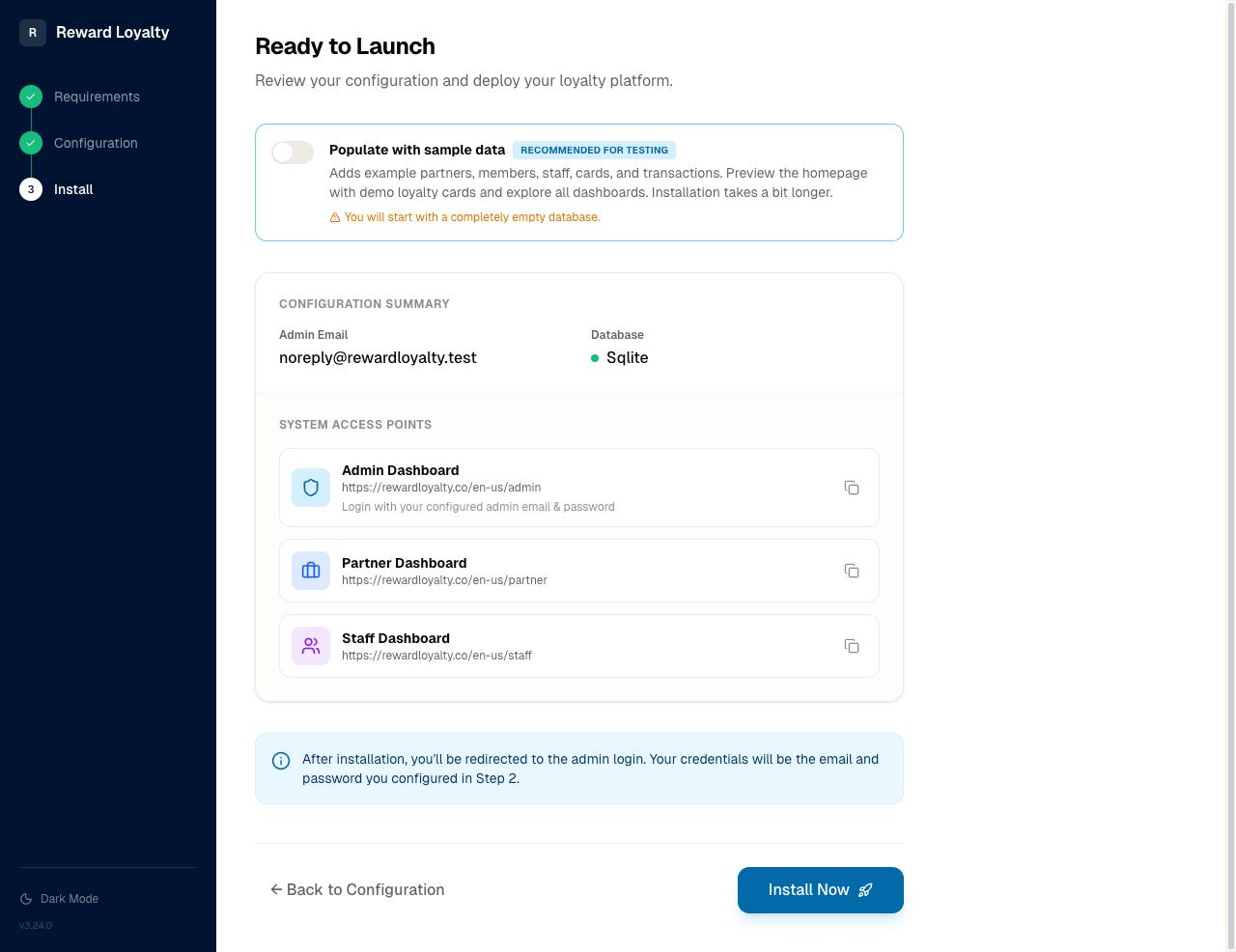
Demo data is useful on a disposable evaluation or private staging installation. Do not enable it for production. Demo mode is not a privacy switch for a production database and can reset its own demo data on schedule.
Start the installation and keep the page open while the application writes configuration, creates database tables, runs migrations, and creates the admin account.
3. Separate staging from production
Maintain a private staging installation with its own hostname and database. A Reward Loyalty license allows activation on up to three domains, so production, staging, and a test hostname can fit within the allowance.
Protect staging with server authentication or an IP allowlist, keep it out of search results, and never point it at the production database. Use it to rehearse package uploads, updates, OPcache resets, backups, and restores.
4. Continue after the success screen
The installer success screen is the handoff to operations. Follow After you install to configure the scheduler and queue, prove a backup restoration, inspect Health Center, and rehearse the available update path.
Reset a reusable demo installation
Use a separate installation and database for a public sales demo. Set APP_DEMO=true, then run this command from cron when you want to restore the seeded example:
Choose the demo content profile in .env. Smart wallet keeps the default focused set with three published programs per type:
APP_DEMO_CONTENT_PROFILE=smart_wallet
Use public_listing for the expanded discovery catalogue. The profile changes seeded demo content and leaves the selected homepage layout alone.
php /absolute/path/to/artisan demo:reset --force
The reset places an installed site in maintenance mode, blocks overlapping runs, removes managed public and private uploads, rebuilds the database, seeds the demo, and clears the application cache. php artisan install uses the same reset pipeline, but demo:reset adds the demo-mode guard and suits a scheduled public demo.
This command destroys all database records and managed uploads on that installation. Never point a demo installation at a production database or production media disk.
If a reset fails, the site stays in maintenance mode to protect it from a half-finished state. Check storage/logs/laravel.log, fix the reported cause, and run the reset again. A successful retry brings the site back online.
Installation smoke test
Do not call the installation live until all four checks pass:
- Request a real admin OTP and prove it arrives.
- Complete admin login with that OTP.
- Run a staff checkout and prove it credits the test member.
- Complete an image upload and prove the image renders on a new request.