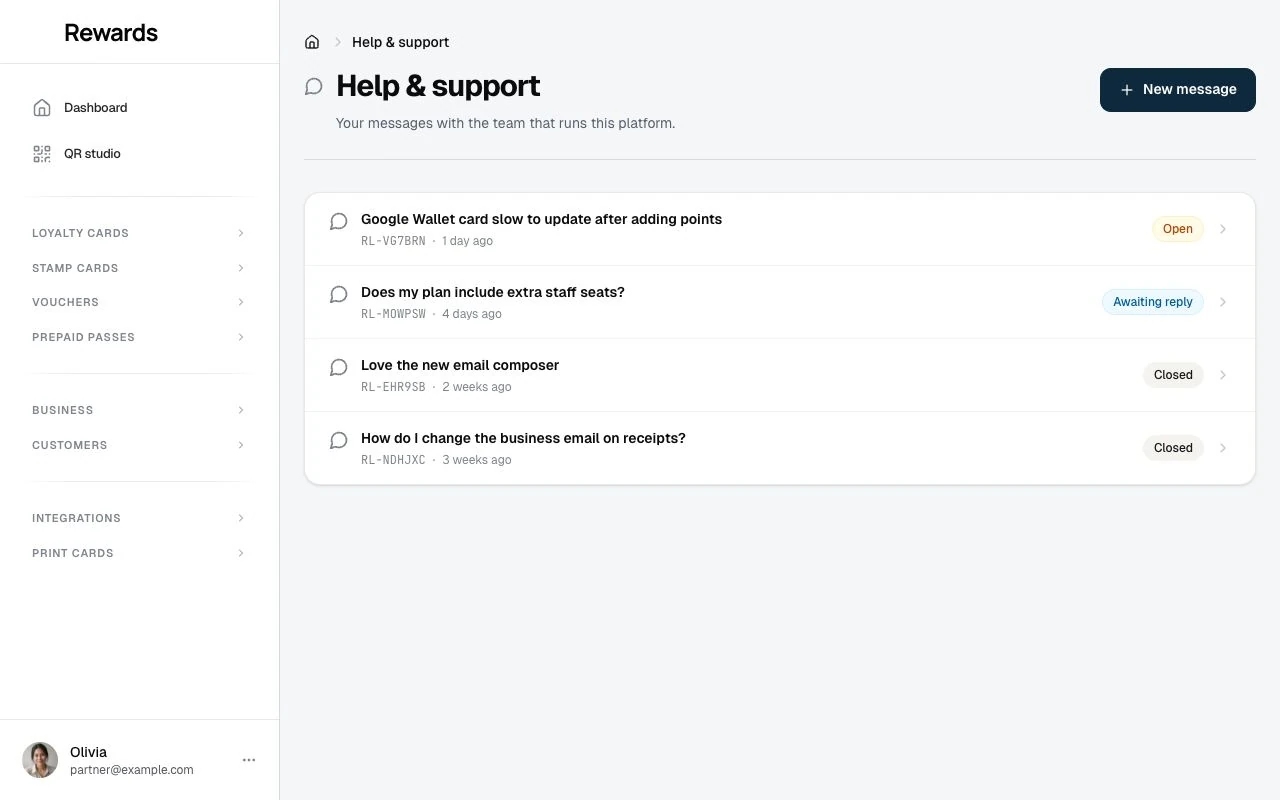
Help & support.
How partners contact the platform operator from inside the dashboard.
Help & support is how a partner reaches the person who runs the platform. It is a short form in the partner dashboard, and it works on every plan.
Sending a message
Open your account menu at the bottom of the sidebar and choose Help & support, then New message. Fill in three things:
- Topic: Pick what the message is about (billing, a technical issue, your account, feedback, or something else).
- Subject: A short headline.
- Message: Describe your question or problem.
Press Send message. That is all. You do not fill in your name, email, business, or plan. The form attaches those for the operator.
What the operator receives
The form emails the message to the operator's contact address with you as the reply-to, so a plain reply reaches you at your account email. Along with your subject and message, the email carries the details the operator needs to help without asking:
- Your business name
- Your plan
- Your language and time zone
- The app version you are on
The system also stores every message, so you lose nothing if email is slow or misconfigured.
Getting a reply
When the team replies, you get an email and the reply also appears in Help & support in your dashboard, where you can read the whole thread and reply. Your past messages stay there too, so you can pick up a conversation any time. Reply from your dashboard to keep your message in the thread. The emails are notifications: the system does not read incoming email, so a reply you send to the email never reaches the ticket.
For operators
Partner messages and website contact-form messages land in one inbox: Support tickets in the admin. Open a ticket to read the thread, reply, set its status and assignee, or leave an internal note the customer never sees.
See Support tickets for the full operator guide, including how replies go out and how to set your contact address.