Prepaid passes admin setup.
Enable prepaid passes per plan or per partner, set template limits, and run the daily expiry task from the Health Center.
Prepaid passes are a plan feature. As an administrator you decide which partners get them, how many pass products each partner can create, and you can watch the daily expiry task do its work. This page covers the full admin side.
Monetary oversight and retention
Monetary enablement is separate from the existing Prepaid passes permission and defaults off on fresh and upgraded installations. Counted and unlimited products keep their existing behavior. Partners review their Business details and fixed translated terms in monetary settings, then choose Enable monetary passes. There is no retention-period setting. All three types use the same product quota.
Full administrators can inspect monetary accounts, recorded sales and retained obligations after a business is removed. Network managers do not receive this financial oversight authority. Authorized partners can inspect their own records, prepare a refund, confirm the result of an external refund, cancel an uncompleted refund or record an allowed correction. None of these actions sends money.
A prepared refund reserves credit and blocks checkout. Confirm it only after your external system completes the refund. Cancellation requires confirmation that no external refund occurred. Corrections keep the original event and add a linked entry; there is no balance editor. An integrity restriction blocks financial changes until a documented review confirms the journal and cached balance agree.
Deleting a business shows its outstanding obligations by currency, offers an authorized export and requires an acknowledgement. Deletion does not cancel those obligations. Surviving members retain a read-only claim record with the original issuer and contact details. Full administrators retain financial oversight; a replacement partner never inherits authority through a similar business name.
The application does not automatically delete monetary financial records based on age. Closed accounts, fully refunded or cancelled sales and their supporting journals remain saved. Old retention periods, dates and holds remain as audit metadata; a past date or a released hold cannot trigger deletion. Member privacy removal still detaches identity and access and removes unrelated personal data.
Keep protected database backups and authorized financial exports. Continued access depends on the installation, hosting and recovery arrangements; saving records in the application is not a promise that a provider will remain available forever. The operator remains responsible for lawful-basis decisions, necessity reviews, access requests and the handling of backup and export copies.
Monetary data migrations add fields and tables without rewriting visit balances. Take and verify a backup before updating. Before changing application tables on MySQL or MariaDB, the monetary migration checks table and trigger permissions, including SIGNAL enforcement on insert and update, using a disposable probe. It then removes only that probe and its triggers. This check runs during a real upgrade; migrate --pretend lists schema statements without verifying permissions or trigger enforcement. If this check fails, ask the database administrator to fix the required permissions, then retry. Follow any instruction to remove a named leftover probe first.
If the migration reports an existing or partial monetary schema, stop. Take a current backup and ask support or your database administrator to inspect the migration record, schema and financial history before recovery. MySQL schema changes cannot roll back as one transaction. Never drop monetary tables or delete financial records to make a retry pass.
Restoring a backup is safe only if no later financial events would be lost. Once monetary issuance starts, do not switch to old application code, drop the money tables or restore a stale database. An operational rollback must preserve every financial record and keep compatible servicing and export code available. Turning off sales does not make a binary downgrade safe. Never use a demo reset to repair real financial records.
The two controls
Passes follow the same permission model as vouchers:
| Control | What it does |
|---|---|
| Prepaid passes (toggle) | Enables pass management, sales, and visit controls for the partner and their staff. When off, new sales and visit controls are unavailable; existing monetary credit remains serviceable under current ownership. |
| Maximum prepaid passes | Caps how many pass products the partner can create. Turn on Unlimited to remove the limit; 0 prevents new products. |
Both controls live in two places, and the same precedence applies as everywhere else: per-partner overrides win over plan defaults.
Enabling via plans
Each tier carries two values: whether the plan includes prepaid passes, and how many pass products a partner may create (-1 for unlimited). They ship off on the free tier, then 3, 10, and unlimited on the paid tiers, and assigning a plan to a partner derives their permissions from these values.
To change a tier, open Settings → Set up plans and switch both in the Plans editor. A server-managed install can set the same values from the environment instead; Configuring plan values from the environment is the full reference.
Upgrading from an earlier version? An update ships the two keys as defaults on the shipped tiers, so a normal update delivers them. Your own values live in the Plans editor or as
PLAN_<TIER>_HAS_PREPAID_PASSES/PLAN_<TIER>_MAX_PREPAID_PASSESenvironment values and survive the update. Only a very old install that never took the update since passes shipped starts without them; Upgrading from an earlier version covers turning passes on there.
Enabling per partner
To grant passes to a single partner without changing any plan:
- Go to Partners in the admin sidebar
- Edit the partner and open the Permissions tab
- In Programs, switch on Prepaid passes
- Set Maximum prepaid passes or turn on Unlimited
- Save
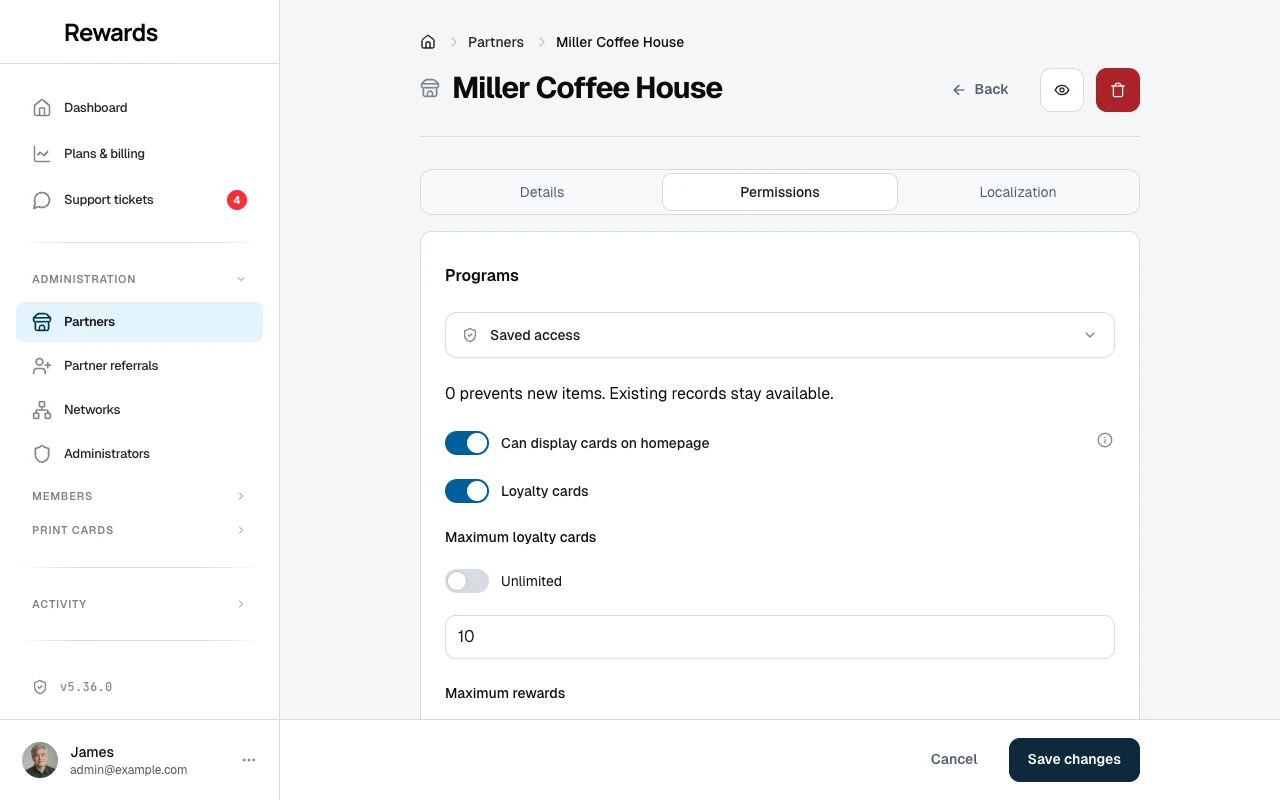
The partner sees the Prepaid passes menu on their next page load. This route suits a trial run of the feature or a one-off arrangement. Remember that a later plan change re-derives permissions from the new tier, so re-apply the override afterwards if the tier's defaults differ.
What partners get
With the feature on, a partner can create pass products per club: a use count or unlimited visits, an optional validity window of 1 to 366 days, a display price, and the same design options as other cards (colors, background image, logo). Their staff sell and scan the passes, and the partner dashboard includes pass analytics and an exportable transaction history, like the other card types. Partner setup walks through it.
With the feature off, pass-management controls disappear from the partner dashboard, and staff cannot sell passes or record or undo visits. Existing visit passes remain visible as read-only records. Monetary credit remains serviceable under current ownership. The stored data is not deleted. Restoring the permission makes the controls available again.
Admin surfaces
Passes appear everywhere the other program types do on the admin side:
- Members → Pass transactions is the platform-wide visit-pass ledger across all partners, with the partner per row and export controls.
- The member list shows visit passes and monetary credit beside cards, stamps, and vouchers. Select the member row for their overview, or select a pass for its history.
- Activity logs have a Prepaid passes category; every sale, visit, correction, and expiry the pass service writes lands there.
- The dashboard headline counts pass products in its totals, so milestones include them.
A visit pass's history offers Delete last visit. Its confirmation names the member and pass before you submit. It reverses the latest visit that has not been undone, restores the visits used, and records a separate correction with an admin origin. Full administrators can inspect passes across partners without a club or plan restriction.
A monetary pass opens a credit history with amounts, balances after each movement, dates, and recorded external references. Retained accounts remain accessible after their wallet pass disappears. View record opens the account controls for refunds and linked corrections. Both history pages include breadcrumbs and an Overview link back to the member; Members stays active in the sidebar. See Viewing a member.
The daily expiry task
One scheduled task keeps passes honest. Each day it:
- Marks passes as expired once their validity window closes
- Sends one reminder email per pass that enters its final week with visits left
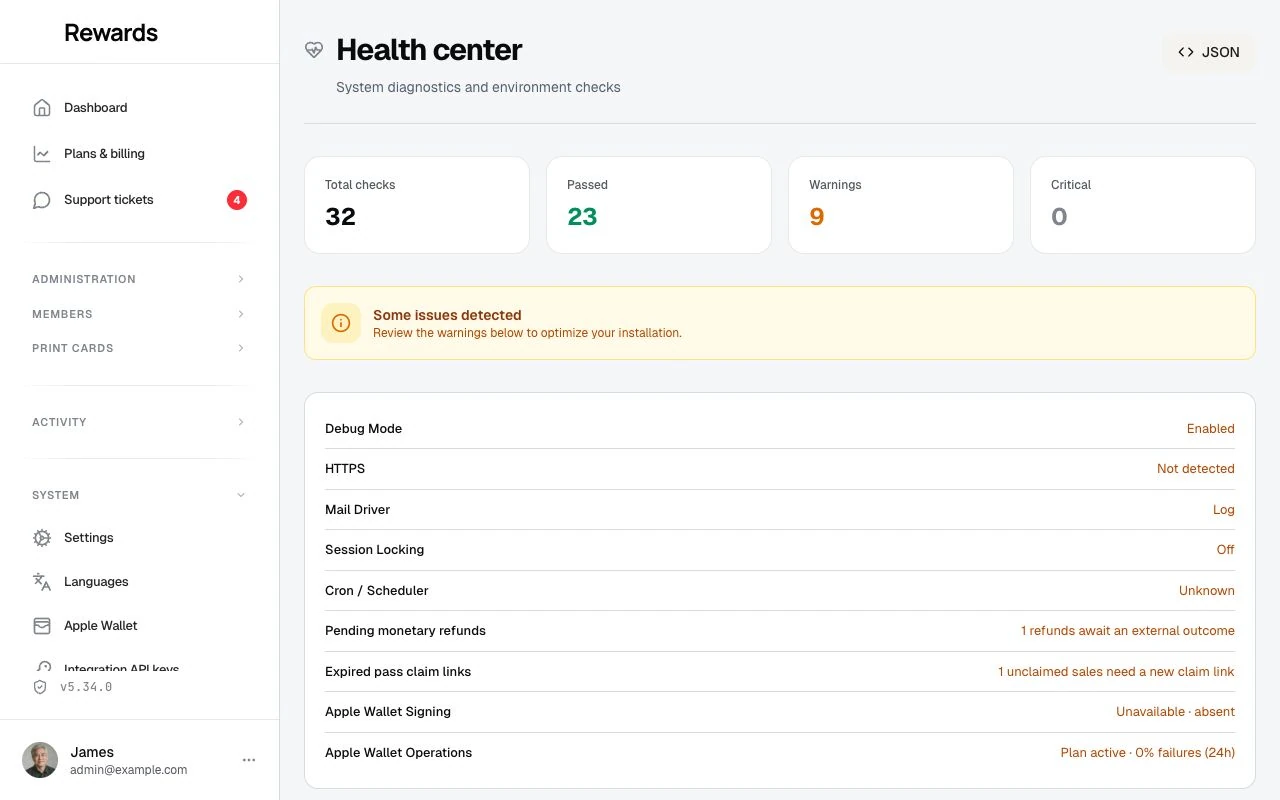
The task appears on Health center → Scheduled tasks beside the other daily tasks (birthday vouchers, win-back vouchers, stamp expiration). You can see when it last ran and run it by hand. It runs with cron on schedule, and without cron the first portal activity of the day triggers it. No queue worker is involved, and repeating it is safe: no duplicate reminders, no double expirations.
Money, for the record
The platform never charges members. A pass's price is a display value: staff record what the customer paid at the counter, and the amount lands in the pass history for receipts and reporting. There is no payment provider to configure and no payout to reconcile. If your deployment bills partners (SaaS mode), passes need no extra billing setup.
Google Wallet
If your installation has Google Wallet configured, passes join the same chain of conditions: Google Wallet must be included in the partner's plan (Gold and Platinum by default) or granted to the partner, the platform credentials must be in place, and then the per-product toggle appears. A member can then save a pass to Google Wallet, and the remaining count updates after each visit. Without the plan entitlement or the credentials, the per-product toggle stays hidden.
Apple Wallet
If your installation has a healthy Apple Wallet signing identity, Gold and Platinum businesses can offer each prepaid-pass product in Apple Wallet; an administrator can also grant or revoke the permission for one business. Each issued member pass gets its own Apple pass. It links to the current remaining visits and status instead of printing values that could become stale.
Demo data
Installations seeded with demo data include three pass products for Miller Coffee House, the demo coffee shop: "Coffee Club — 10 Drinks", "Pastry Pass — 10 Treats", and "Cold Brew Pass — 10 Pours". The demo member Emma holds a Coffee Club pass bought 25 days ago with four visits ticked off. Its 30-day window puts it about five days before expiry, and the demo resets daily, so the pass always sits inside its final week: handy for showing the reminder and the Health center run.
Related topics
- Prepaid passes overview: What passes are and how they fit
- Partner Permissions & Limits: The full permission model
- Analytics & History: The partner-side numbers and ledger
- Health center: Scheduled tasks panel
- FAQ: Common questions from all three roles