Introduction.
What is Reward Loyalty and how does it work?
Reward Loyalty is self-hosted software for digital loyalty cards, stamp cards, vouchers, and prepaid passes. You run it on your server and use your own brand. Businesses manage their programs, staff record visits and purchases, and customers keep their cards in one wallet.
The member wallet, staff checkout, business dashboards, and admin console share clear layouts and consistent controls in light and dark mode. Each portal focuses on the tasks for that role.
Choose a program
| Program | How it works | Example |
|---|---|---|
| Loyalty card | Members earn points and exchange them for rewards | Earn points on each purchase, then claim a free coffee |
| Stamp card | Members collect stamps toward a set reward | Collect 8 stamps for a free pastry |
| Voucher | Members use an offer, subject to its terms | 20% off, a fixed discount, a free product, or bonus points |
| Prepaid pass | Members pay at the counter, then use visits or spend a fixed monetary balance | A pack of 10 classes, a monthly unlimited pass, or café credit |
Choose one program to start. You can add other program types when you need them, subject to the business account's permissions and limits.
How it works
| Role | What they do |
|---|---|
| Administrator | Runs the installation, configures the brand, and manages business access |
| Partner | Manages a business and its loyalty programs |
| Staff | Adds points or stamps, sells and uses passes, and processes rewards at the counter |
| Member | Collects cards, checks progress, and uses rewards |
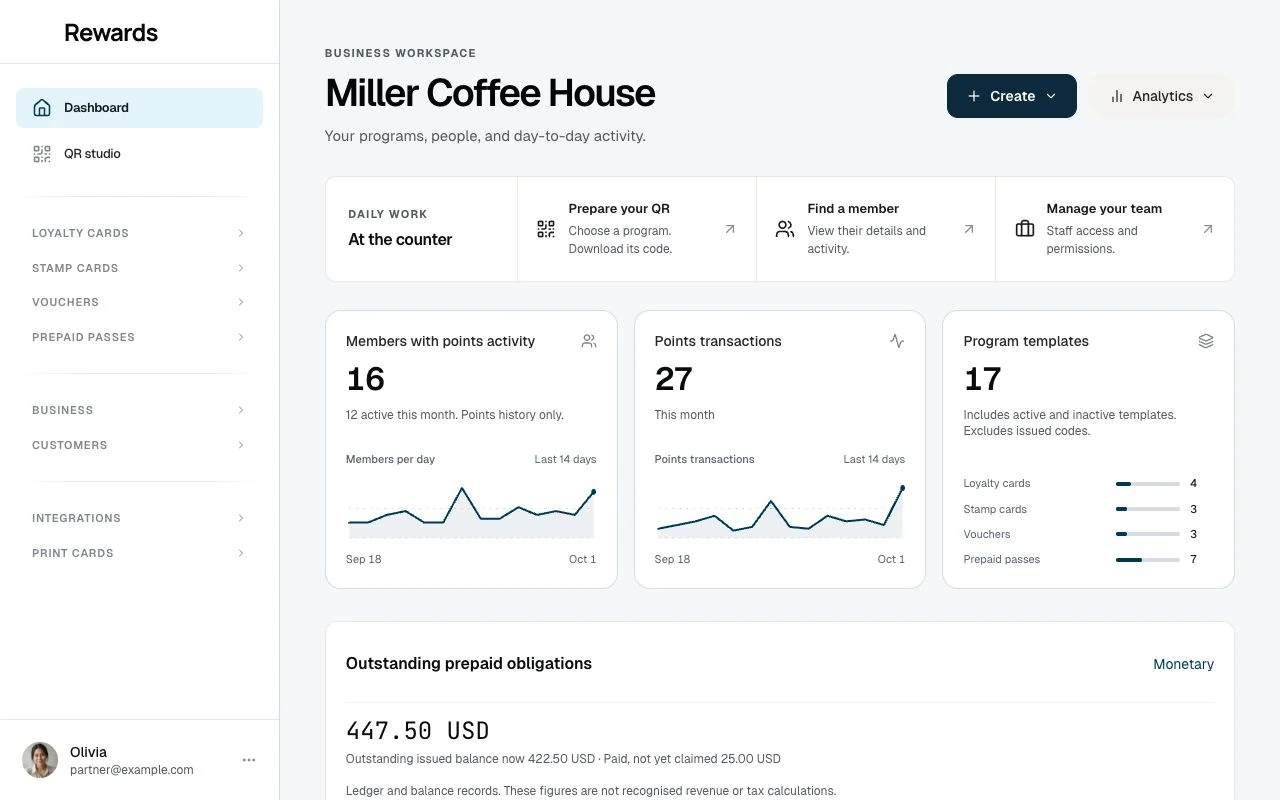
For example, a café is a partner. Its cashier signs in as staff. Its customers use member accounts. One person can manage the installation and the café through the relevant portals.
The flow
After installation:
- Create a partner account for the business, or enable partner registration.
- Sign in as that partner.
- Create a loyalty card or another program from the table above.
- Add staff accounts for people who work at the counter.
- Share the program's link or QR code with customers.
- Record a test purchase and check the member's result.
A fresh installation includes a default network. New partners receive a Main club for their programs and staff. You do not need to appoint managers or create more groups to start with one business.
Try it first: Use the demo to explore the portals. The installation wizard also lets you add sample data to your own test installation.
The main member homepage shows three loyalty cards, alongside stamps, vouchers, and prepaid passes. Miller Coffee House owns these homepage programs, so the primary staff login can use each one. The demo includes reward galleries, account portraits, and customer histories you can follow across the member, staff, partner, and admin portals. Shopify and WooCommerce show read-only sample connections.
Key concepts
- Clubs group a business's programs and staff. Use more than one when the business needs separate groups.
- Networks group partners for administration, such as by region.
- The shared wallet lets a member collect programs from several businesses on the same installation. Each program keeps its own balance.
- Anonymous members can join without an email when the operator enables this option. They can add an email later.
Businesses can also connect Shopify or WooCommerce to award points on store orders.
Next steps
- Who is this for?: Choose the setup that fits your business.
- Server requirements: Check your hosting before installation.
- Partner guide: Create and manage your first programs.