
Automatic messages.
Every message the app sends members on your behalf, what triggers it, and where to turn it on.
On this page
Reward Loyalty sends member emails after events such as a completed stamp card or an approaching expiry. Partners configure optional messages in the club settings. Members control which email categories they receive.
Messages you configure per club
- Open Business → Clubs in the partner dashboard.
- Edit the club that owns the program.
- Open Member messages.
- Choose the messages you want to send.
- Select Save changes.
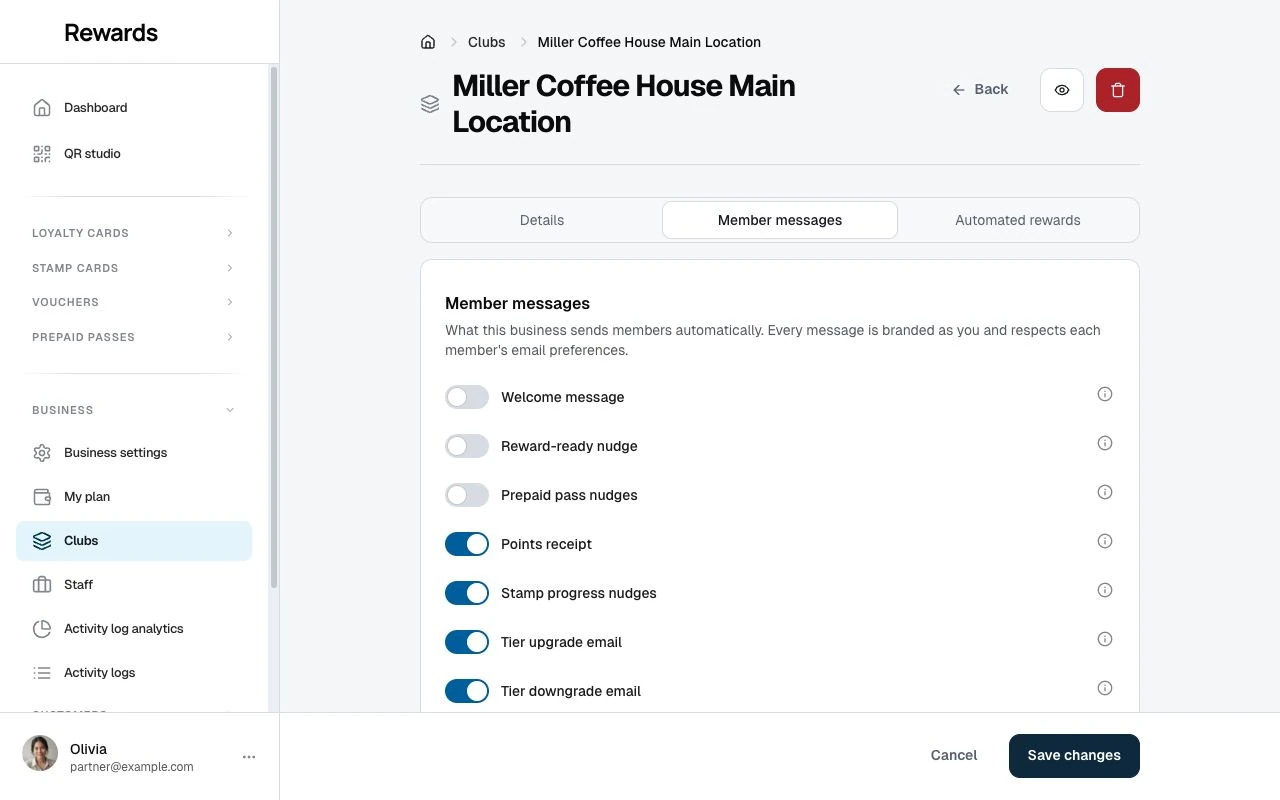
Use Lifecycle and program messages for the trigger and default of each switch. Open Automated rewards in the same editor for birthday, win-back, and activation nudge settings.
No club switch
These messages have no business switch. They still follow the member's Loyalty updates email preference.
| Message | Trigger |
|---|---|
| Stamp card completed | The member completes a card and receives its reward |
| Points expiry reminder | Points are due to expire within 30 days |
| Pass expiry reminder | A pass enters its final week with visits left |
| Voucher expiry reminder | An unused personal birthday or win-back voucher approaches expiry |
| Stamp expiry warning | Stamps approach expiry on a card with stamp expiry enabled |
The voucher reminder covers personal birthday and win-back gifts, not all public offers. It sends once, about a week before expiry, and skips gifts delivered in the last day.
A new stamp can move the stamp expiry date and allow a reminder for the new deadline. See Stamp expiry before changing expiry settings.
Which toggles you see
Message controls follow your feature access. Points receipts and reward-ready messages need loyalty cards. Pass nudges need prepaid passes. Stamp progress messages need stamp cards. Welcome and tier-change switches do not require a separate feature permission.
Who receives these?
The member must have an email address, meet the message's trigger, and allow the matching email category.
| Member preference | Messages |
|---|---|
| Loyalty updates | Receipts, progress, tier changes, welcome, reward-ready, pass nudges, and expiry notices |
| Offers and news | Birthday rewards, win-back rewards, and activation nudges |
Members manage these preferences in Account settings. They apply across the installation. Loyalty updates starts on; Offers and news requires opt-in.
The app skips emails when the address is missing or the preference is off. Turning a preference on later does not resend those skipped messages.
Will this spam my customers?
Messages follow specific events and repetition rules. For example, the welcome message sends once per member and business. A reward-ready nudge can repeat after 90 days. A stamp-expiry warning can repeat for a later expiry deadline.
Check the switch defaults and triggers before enabling messages. The operator remains responsible for the installation's email policy and applicable marketing requirements.
Who do these come from?
- Sender name: The business name, with the partner account name as fallback.
- Sender address: The installation's configured sending address.
- Reply-to: The business email, with the partner account email as fallback.
Set the name and reply address in Business settings. Correct sender-domain configuration helps delivery but does not guarantee inbox placement.
Can I change the text?
Automatic messages use fixed text with the relevant business and program details. For your own subject and body, use Customers → Email campaigns. See Email campaigns.
Where these show up
Members receive these messages by email, not in a member inbox. Welcome, reward-ready, pass-nudge, and activation events also appear under Lifecycle in Activity logs.
Welcome, reward-ready, and pass-nudge records can explain why the app could not email a member, such as a missing address or disabled preference.
Related topics
- Lifecycle and program messages: Choose messages and understand their triggers.
- Troubleshooting and delivery: Check a missing email or scheduled delivery.