Overview.
What member segments are, the rules you can stack, and how a saved segment drives the member list and email campaigns.
A member segment is a named audience you build once and reuse. Define rules for visits, spending, points, tiers, passes or vouchers. The builder counts members who match. Save the segment to reuse its rules on the member list or in an email campaign.
Segments answer the questions a loyalty program runs on. Who slipped from weekly to nothing? Who is one visit from a reward? Who bought a pass that is about to expire unused? You describe the group once; the segment finds the members who fit, every time you open it.
What a segment is
A segment carries a name, an optional description, and a list of rules. Each rule is one condition, and a member belongs to the segment only when they satisfy all of them. Rules combine with AND, so adding a rule narrows the audience rather than widening it. The rules come from a fixed library:
- Recency: Last visit within N days, last visit between two day counts, no visit for N days, or first visit within N days.
- Frequency and spend: At least N visits, or at least a given amount spent, each counted inside a day window you set (the last 180 days by default).
- Points: Current balance at or above (or below) a threshold, or lifetime points earned of at least a threshold.
- Tier: Sits in a specific membership tier.
- Prepaid passes: Holds an active pass, holds one expiring within N days, or let an expired pass lapse with visits still on it.
- Vouchers and birthdays: Holds an unredeemed voucher, or has a birthday in a calendar month you pick (the picker defaults to the current month).
- Achievements: Earned a specific achievement with your business, or is at least a given percent of the way toward one (loyalty-day milestones, weekly runs, and the explorer milestones; one-off firsts have no meaningful percentage). These two rules appear only when your plan includes achievements.
Each rule exposes only the input it uses (a day count, a number of visits, an amount, a tier), so the builder never asks for a value a rule does not need.
The audience it measures
Segments start with members who interacted with your business in the past 365 days. Your member list can also include cardholders who have not visited yet, so a segment can show fewer people than that list. The saved rules filter this starting audience.
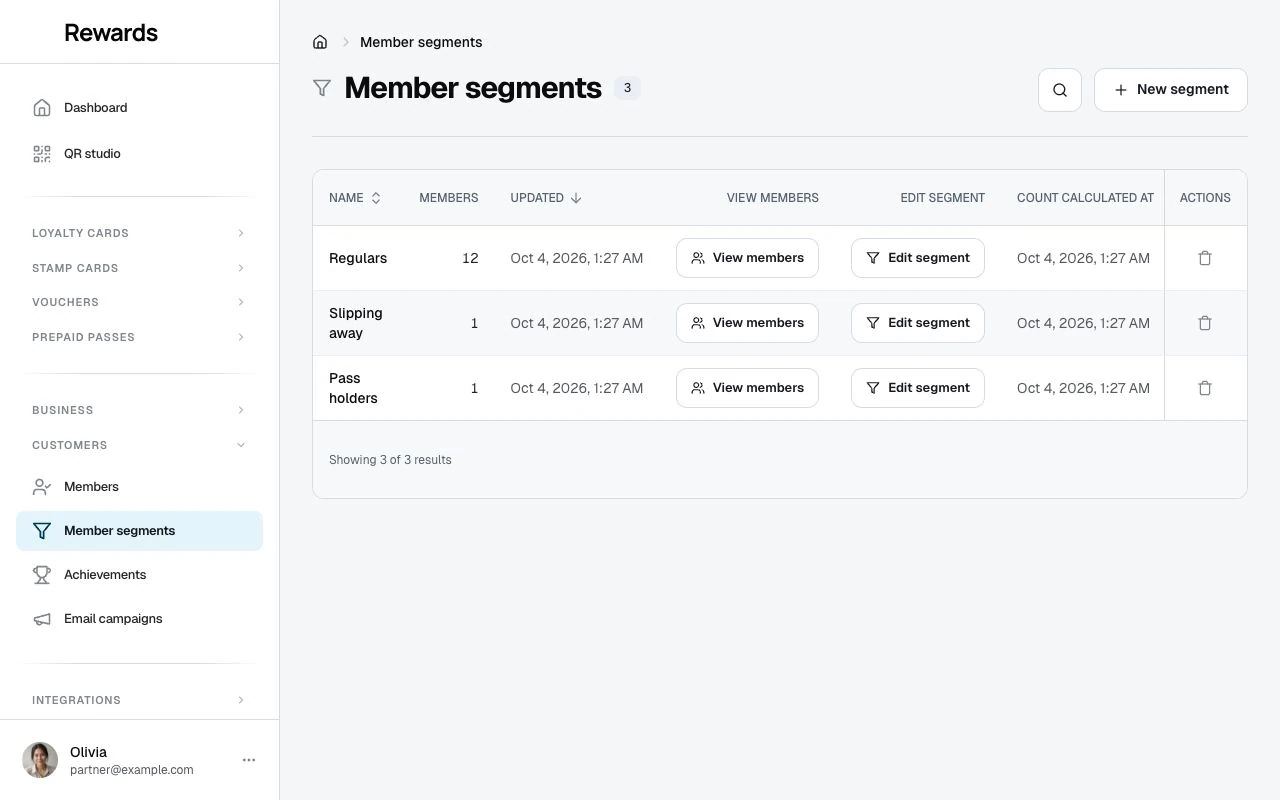
The number in the segment list is the saved count from its last calculation. Its calculation time shows the count's age; Updated shows when you last edited the segment. Opening the list does not refresh counts. The member list and campaign audience apply the saved rules to your members' current state.
Building a segment
Open Customers → Member segments and choose New segment. Give it a name, then add rules one at a time: pick a rule from the list, fill in its value, and a counter at the top updates as you go, so you watch the audience grow or shrink before you commit. Each rule shows a one-line description of which members it selects, so you never have to guess what a rule means. Stack as many rules as the audience needs, and remove any row you reconsider. Save when the count looks right.
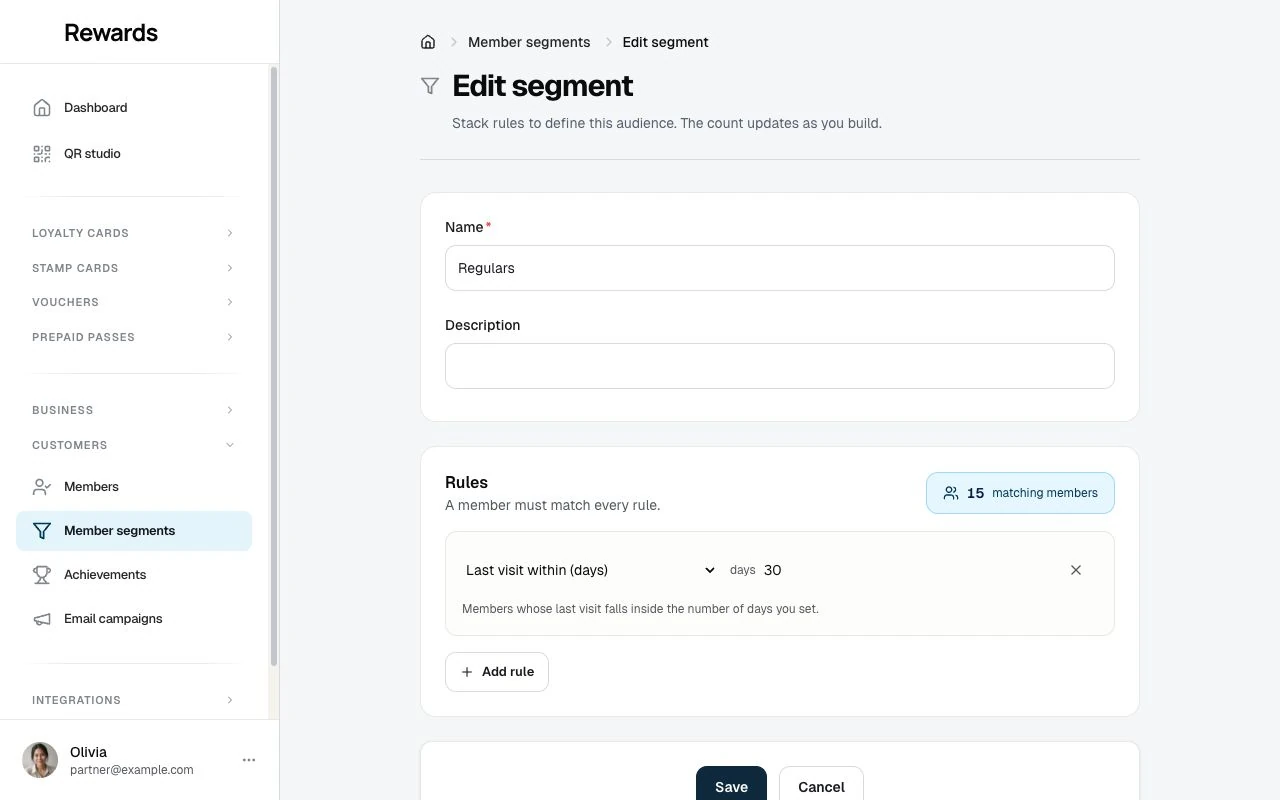
Choose Edit segment to adjust the rules. Saving recalculates the stored count and records its calculation time. A count of zero means no members matched at that calculation; a missing count means it has not been calculated.
Using a segment
A saved segment works in two places:
- The member list. Filter the list to a segment to see who it matches right now, for a quick read, an export, or a manual follow-up.
- Email campaigns. Choose the segment as a campaign's audience, in the composer's audience picker (the To line), instead of rebuilding the same rules. The campaign reaches the members who match and accept marketing email; consent and a valid address still apply.
Because a campaign can point at a segment, a segment a campaign relies on is protected: you cannot delete it while a campaign still uses it. Remove or repoint the campaign first.
Plans and limits
Member segments are a plan feature with a per-tier limit on saved segments. They ship off on the free tier, then on with limits of 3, 10, and unlimited on the paid tiers. To change a tier, open Settings → Set up plans and switch the feature or the limit in the Plans editor. When a partner reaches the limit, the New segment action steps aside and says so, and they delete a segment or move to a higher plan to make room. An administrator can also grant the feature to a single partner under Partners → Permissions. A partner who already holds segments keeps them until their plan or permission changes. Once no active plan offers the feature and no partner holds a grant, the My plan comparison stops listing it. Saved segments are not deleted; they return when the feature does.
Related topics
- Email campaigns overview: Send a campaign to a saved segment
- Customers: The member list a segment filters