Overview.
What member cards are, the one code behind every carrier, why printed cards work as a measurable marketing tool, and how a card identifies a member at the counter.
A member card gives a member a card code: the piece of identity a business hands over or a member carries, used to recognize them at the counter. The code is the instrument, not the account. One code resolves to one member, and it does so on its own, independent of the member record. That separation is the whole idea: a lost card is disabled without touching the member's identity, and a blank card can exist and be printed before anyone claims it.
Points and stamps reward behavior, and vouchers and prepaid passes sell it. A member card sits beneath all of them: it identifies a person so any of those programs can run, whether they carry a printed card or nothing at all.
Why a business prints cards
A printed card is a marketing tool that reports back. A business leaves a stack by the register, hands them out at an event, or drops one in every gift bag, and each card that a customer claims shows up in the batch numbers. A flyer never tells you what it did; a card does. Each batch shows how many of its cards are still blank, how many customers linked, and when the last one came in, so a stack by the till and a stand at a fair each prove their own worth.
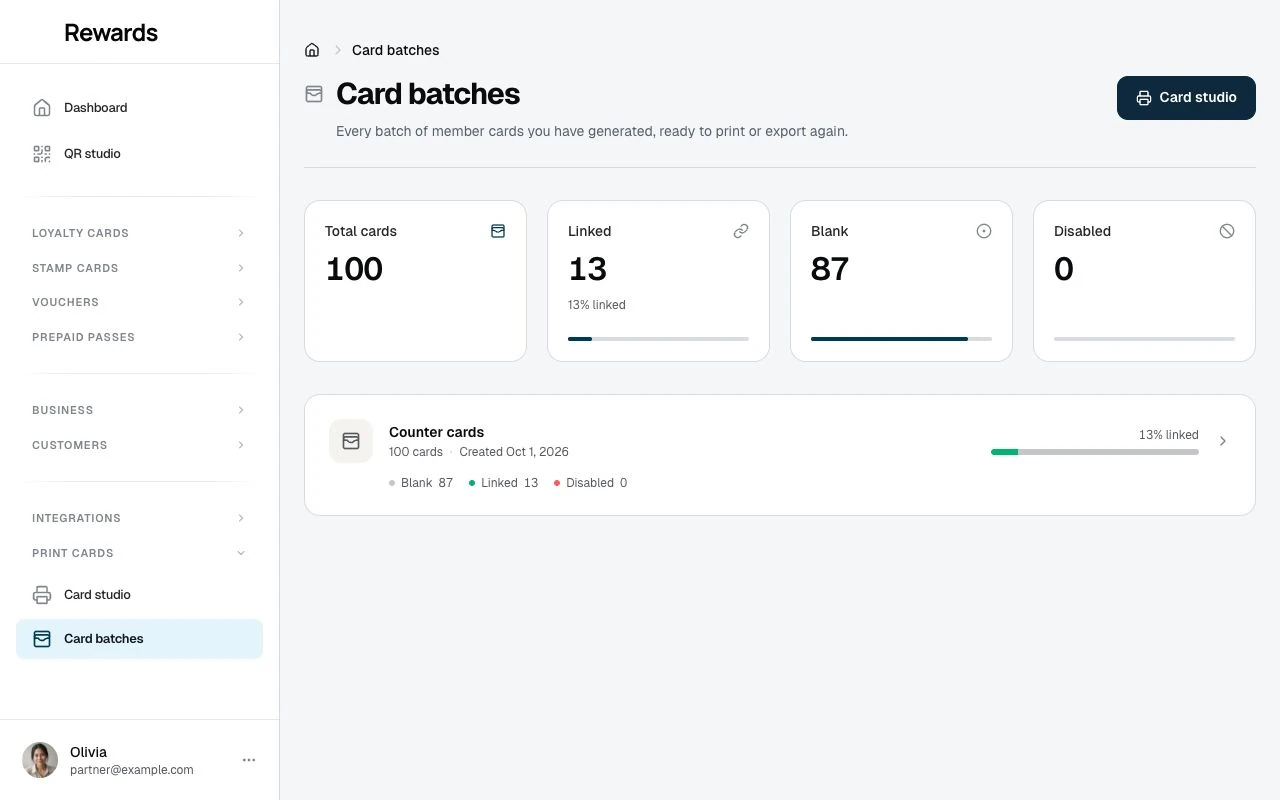
The card also works at the counter from then on: staff scan, swipe, or type it and the customer is recognized on every visit. The partner Card studio is the manual for this: why to print, which occasions fit, how to measure uptake, and how to run a print job from test batch to full run.
The code
Every code lives in its own record, apart from the member. Each code has an issuer: a partner (a business printing its own cards), the operator (the installation owner), or the member themselves for their virtual code. A code is either blank (printed but not yet claimed), active (linked to a member), or disabled (retired, and it stays retired).
The printed code uses an alphabet a person can read out without confusion: no 0, 1, i, l, or o, so no one mistakes a zero for an O or a one for an l when they read a number to a colleague or type it in.
One value, five carriers
The same code can travel on any of five carriers, and they all mean the same thing:
- A QR code. Scanned by a camera or the in-app scanner.
- A Code 128 barcode. Scanned by a counter barcode reader.
- An NFC tag. An NDEF URL record a phone reads with a tap.
- A magnetic stripe. The code in a Track 1 wrapper, read by a swipe reader.
- A typed number. The plain code, read out and typed in when nothing scans.
At the counter, one recognizer accepts all of them. A scanned QR or barcode, a magstripe swipe (which arrives like fast keyboard typing), or a number a person types all normalize to the same code and resolve to the same member. Staff do not pick a mode; they use whatever the member has.
Physical and virtual
A member card comes in two forms, and a member can use either:
- A physical card. A printed card a business designs and issues, carrying the code as a QR, a barcode, an NFC tag, a magnetic stripe, and the printed number. A member claims it once, and from then on it identifies them.
- A virtual code. Every member also has a "Show my code" QR in their wallet, for the times they have no physical card. It is theirs, minted the first time they open the sheet.
Both point at the same kind of code and behave the same at the counter.
How a card reaches a member
- A business designs its card and issues codes in the partner Card studio, then prints the cards or hands the export to a card vendor.
- A member claims a printed card by scanning its QR or opening its link, which lands on
/c/{code}. Claiming is email-first: the member signs in or creates an account, and the card links to their wallet. Staff never claim a card for a member. - The card sits in the member's Your cards list. If it is lost, the member can report it lost, which disables that one card for good. See Using member cards.
- At the counter, the member presents the card (scan, swipe, or number) and staff serve them. See the staff overview.
Who each surface is for
- Businesses design and issue their own branded cards, and manage every print run, in the partner Card studio.
- Members claim cards, carry a virtual code, and manage their own cards in Using member cards.
- Operators run an uncapped Card studio that can also issue cards on a client business's behalf, and hold the installation switch that turns the whole family on or off.
- Card vendors print at scale from the studio's exports; the hardware guide covers stock, printing, encoding, and tags.
What the switch and the plan control
One switch under Admin → Settings turns the whole family on or off; it is on by default. The design and issuing surfaces are also plan-gated for a business: the plan's Member cards feature turns the partner studio on, and its member card codes limit caps how many codes a business may issue, both under Settings → Set up plans. A business that already holds the feature keeps its studio until its plan or permission changes, and issued cards keep resolving at the counter either way. Once no active plan offers member cards and no business holds a grant, the My plan comparison stops mentioning them. Admin setup covers both.
Presentation is never gated. A member is never required to hold a card, and a card in a customer's pocket keeps resolving at the counter even when the switch is off later. Turning the feature off hides the design and issuing surfaces; it never bricks plastic already handed out.