REST API overview.
The session-token REST API for custom frontends and integrations.
The Reward Loyalty REST API is the session-token API: a client signs in as an admin, partner, staff member, or member, receives a Bearer token, and calls endpoints as that user. Use it for custom frontends, mobile apps, and third-party integrations. The Agent API is its machine-to-machine counterpart: long-lived keys instead of login sessions, built for POS systems, AI agents, and automation.
💡 Looking for the Agent API? If you need machine-to-machine access for POS systems, AI agents, or automation tools, see the Agent API documentation. The Agent API uses long-lived API keys instead of login tokens and targets automated systems.
API notice
ℹ️ Reward Loyalty works as a standalone platform with a complete web interface for all users. The API exists as a supplementary resource for developers who want to build custom integrations. Check the available endpoints before planning your integration.
What this means for you:
- Standalone-first. All platform features are accessible through the web interface without any API integration.
- Developer foundation. The API provides working endpoints that experienced developers can extend and customize for their specific needs.
- Product support. We help investigate supplied API endpoints that are not working as expected, including relevant settings or documented setup steps during your active support period. Designing, building, or debugging a custom integration, reviewing code, and creating new endpoints fall outside product support. For custom development, contact NowSquare about a separate paid agreement. See what support includes.
- Review before purchasing. Check the interactive API documentation to verify available endpoints meet your requirements. The Agent API documentation is also available for machine-to-machine integrations.
Interactive documentation
REST API (this API)
Full API documentation with request/response examples is available at:
https://your-domain.com/api/documentation
Browse the live REST API docs →
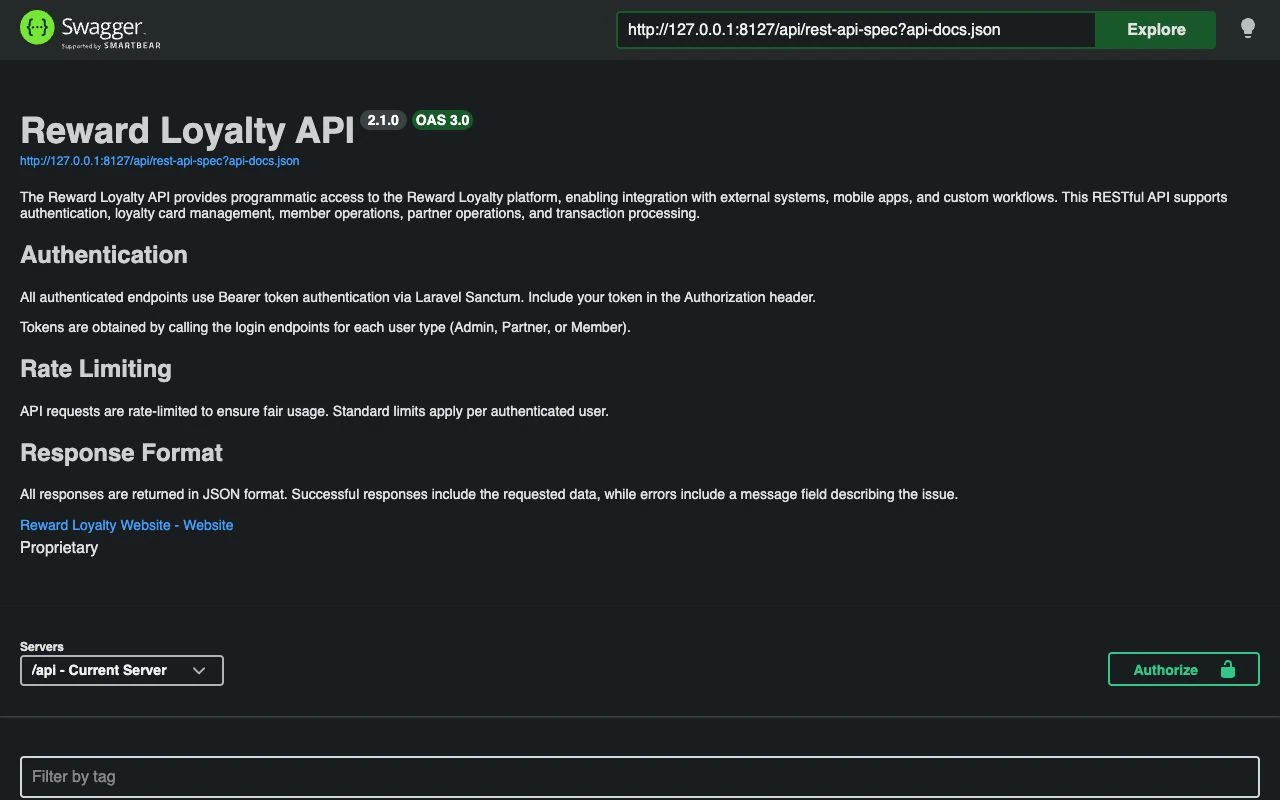
This Swagger UI interface lets you:
- Browse all available endpoints
- View request/response schemas
- Test endpoints from the browser (with authentication)
Agent API
The Agent API has its own dedicated OpenAPI specification:
| URL | What It Provides |
|---|---|
/api/agent/docs |
Interactive Swagger UI for the Agent API |
/api/agent/docs.json |
Raw OpenAPI 3.0 JSON spec, importable by Postman, automation platforms, and code generators |
/api/agent/v1/tools?format=openai |
Authenticated tool discovery. Returns tool definitions scoped to the key's role and permissions |
Base URL
All API requests use your installation's domain:
https://your-domain.com/api/{locale}/v1
The {locale} parameter sets the response language for messages and validation errors (e.g., en-us, de-de). An unknown or inactive locale falls back to the installation default.
Authentication
Most endpoints require Bearer token authentication via Laravel Sanctum:
Authorization: Bearer your-api-token
Obtaining tokens
Obtain a token by calling the login endpoint for each user type:
| User Type | Login Endpoint | Token Scope |
|---|---|---|
| Admin | POST /api/{locale}/v1/admin/login |
Platform management |
| Partner | POST /api/{locale}/v1/partner/login |
Business operations |
| Staff | POST /api/{locale}/v1/staff/login |
Point-of-sale operations |
| Member | POST /api/{locale}/v1/member/login |
Customer-facing |
Available endpoints
Admin endpoints
- Authentication: login, logout, profile
- Partner Management: list, get, create, update, delete
- Partner Permissions: get, update (for SaaS billing)
- Partner Usage: get usage vs limits
Partner endpoints
- Authentication: login, logout, profile, update
- Clubs: list, get, create, update, delete
- Loyalty cards: list, get, create, update, delete
- Stamp cards: list, get, create, update, delete
- Staff Members: list, get, create, update, delete
- Members: list, get, create, update, delete
- Vouchers: list, get, create, update, delete
- Prepaid Passes: list, get, create, update, delete
- Rewards: list, get, create, update, delete
- Transactions: add purchases, add points, deduct points
- Apple Wallet: read and update item settings for loyalty cards, stamp cards, vouchers, and prepaid products
- Shopify Integration: get status, update settings, pause, resume, disconnect
Staff endpoints
- Authentication: login, logout, profile
- Member Lookup: find by identifier
- Loyalty Operations: add purchase, redeem reward
- Stamp Operations: add stamps, redeem stamp reward
- Voucher Operations: validate code, redeem voucher
- Pass Operations: list a member's passes, sell, use, undo
Member endpoints
- Authentication: register, login, logout, profile
- Anonymous Sessions (public, no token): init a device-bound member, read the session, switch devices with the short device code, link an email
- Loyalty cards: list all, followed, transacted, balance
- Stamp cards: list enrolled, history, enroll (add to My Cards), unenroll (remove)
- Vouchers: list saved, save (add to My Cards), unsave (remove)
- Prepaid Passes: list held passes, pass detail (read-only)
Email consent on member create and update. Members carry two email preferences:
accepts_loyalty_emails(loyalty updates, defaults to true) andaccepts_emails(offers and news, marketing). Passingaccepts_emails: trueasserts that you hold valid marketing consent from the member. On create, omitting it means false; on update, omitting it leaves the stored preference unchanged. The operator remains responsible for the consent rules in their jurisdiction.
Monetary prepaid passes
Pass endpoints default to pass_format=1. That format keeps the visit-pass response shape and omits monetary passes from lists. Reading an owned monetary pass directly returns 409 MONETARY_PASS_FORMAT_REQUIRED. Add ?pass_format=2 to read typed visit and money records. Unsupported or empty format values return 422.
Format 2 includes balance_type, is_unlimited, and a money object for monetary passes. Use the discriminator: a null visit count does not mean a monetary pass is unlimited. Monetary amounts are JSON integers in the currency's minor unit. For EUR, 3750 means €37.50; JPY uses whole yen. Never send a decimal amount or a numeric string.
Partner and staff clients can record an external sale, spend a balance, or reverse one complete spend:
| Action | Partner path | Staff path |
|---|---|---|
| Record sale | POST /partner/prepaid-passes/{id}/sell |
POST /staff/passes/sell |
| Spend | POST /partner/member-passes/{id}/spend |
POST /staff/passes/{id}/spend |
| Reverse spend | POST /partner/member-passes/{id}/transactions/{transactionId}/reverse |
POST /staff/passes/{id}/transactions/{transactionId}/reverse |
These paths follow the /api/{locale}/v1 base URL. Send pass_format=2 in the query and a UUID in the Idempotency-Key header. After a timeout, retry the same key with the same body. The server checks the current token and authority again. A changed body with the same key returns 409 IDEMPOTENCY_CONFLICT; 410 RECORD_REMOVED means the earlier operation was consumed and its result was removed. Do not issue another sale or spend to recover that response.
Member endpoints only read balances and safe history. Refunds and financial-record corrections belong to Partner/admin web oversight. Reward Loyalty records external payment and refund outcomes; it does not collect or send money. See monetary pass setup and the interactive specification for exact request fields.
Response format
All responses are JSON:
{
  "data": {
    // Response data
  }
}
Error responses include details:
{
  "message": "Error description",
  "errors": {
    "field": ["Validation error"]
  }
}
Rate limiting
The platform rate-limits API requests to prevent abuse. If you exceed limits, the server returns HTTP 429.
Extending the API
As a source code license holder, you can extend the API:
- Create controllers in
app/Http/Controllers/Api/ - Add routes in
routes/api.php - Add OpenAPI annotations for documentation
- Run
php artisan l5-swagger:generateto update docs
For guidance, refer to Laravel's official documentation and the existing API controllers as examples.
What's not included
The following features may require custom development:
- Tier management endpoints
- Referral code endpoints
- Email campaign management
- Analytics/reporting endpoints
- Webhook management
These features are available through the web interface and you can expose them via API by extending the existing controllers.