Requesting points.
Receive points from another member with a request link
A point request link lets you receive points from another member. Share the link with a friend or family member who collects on the same loyalty card, they choose how many points to send, and the points move from their balance to yours.
Creating a request link
- Go to My Cards
- Choose Request points (in Quick Actions on a larger screen, or in the More sheet on a phone)
- Pick the loyalty card you want to receive points on, or leave the choice open so the sender picks the card
- Generate the link and share it any way you like
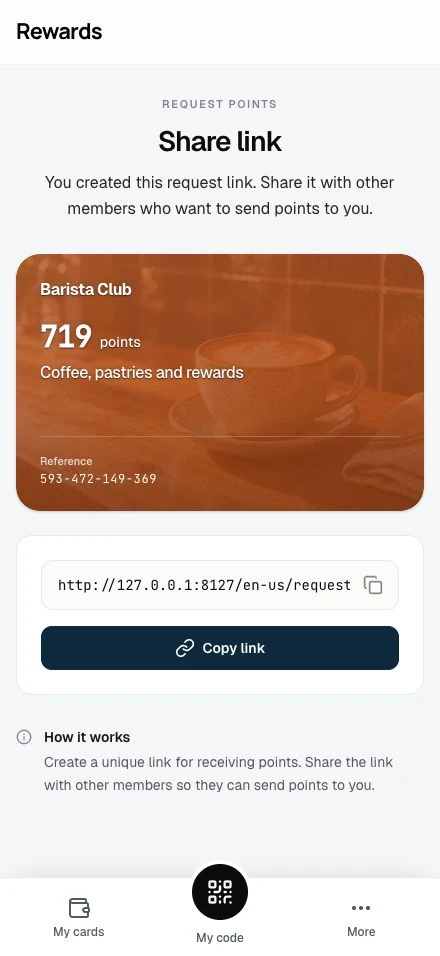
Only cards you have already used appear in the list; earn on a card once and it becomes available for requests.
What the sender sees
Opening your link shows a simple send form:
- They sign in (or create an account) if they are not already signed in
- They pick the card to send from; when your request names a card, theirs has to be the same program
- They enter the amount, capped by their available balance
- They confirm, and the transfer happens on the spot
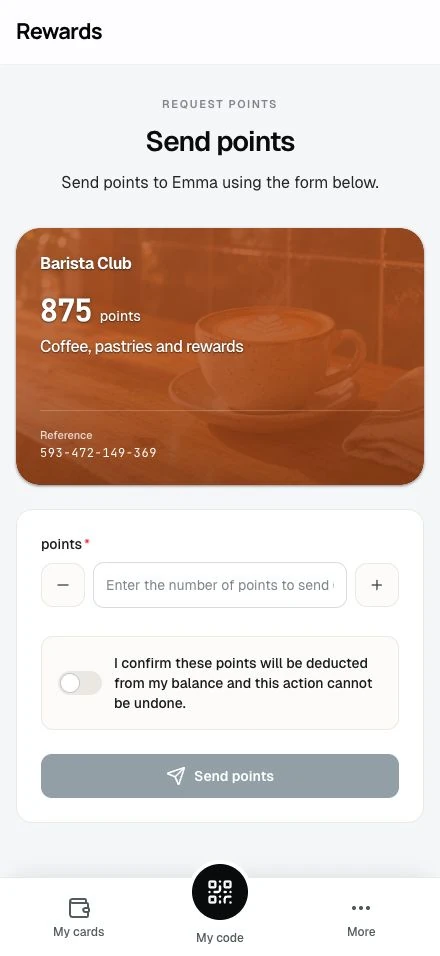
Points move between balances on the same program. There is no way to convert points across businesses.
After the transfer
- Your balance rises and the sender's falls by the same amount
- Both of you see the transfer in the card's history
- If your wallet is open, the new balance settles in within a couple of seconds
Limits and lifetime
The Request links list shows the loyalty card, uses, active state, creation time and Share action. A link without a selected card shows Receive points for all cards. On phones, Details shows the reference. The delete confirmation identifies the card and creation time.
- You can hold a limited number of request links at a time (five on a standard install; the administrator can change this under Settings → Loyalty cards). Every stored link counts toward the limit, including inactive links. Delete an old link to free a slot.
- Links have no automatic expiry and can be reused. Open Request links to share or delete a link.
- Each link is yours alone. Anyone who opens it sends points to you, so share it only with people you know
Related topics
- Earning points: All the ways points land on your card
- Members overview: Quick Actions and the More sheet
- Loyalty cards settings: The administrator's link limit