Upgrading from v4.
Move a version 4 installation onto Reward Loyalty 5 with a Reward Loyalty license key.
Reward Loyalty 5 uses a Reward Loyalty license key for activation and updates.
If you bought on CodeCanyon, start at rewardloyalty.co/download and sign in with your purchase code. As a marketplace customer you move to version 5 for $299, a $50 loyalty discount off the $349 license, with 12 months of updates and product support. After you buy, sign back in there with your new license to receive your Reward Loyalty key.
The full documentation covers every feature, including setup, use, and configuration. Follow the steps below to upgrade. If you suspect an error in the supplied upgrade process, you can report it during your active support period. See what support includes.
Before you upgrade
- Upgrade PHP to 8.4.1 or newer first. Version 5 refuses to install on anything older.
- Make a backup, then test the upgrade on a staging copy. See Separate staging from production.
- Read the 5.0.0 entry in the changelog for what changed between the major versions.
Upgrading
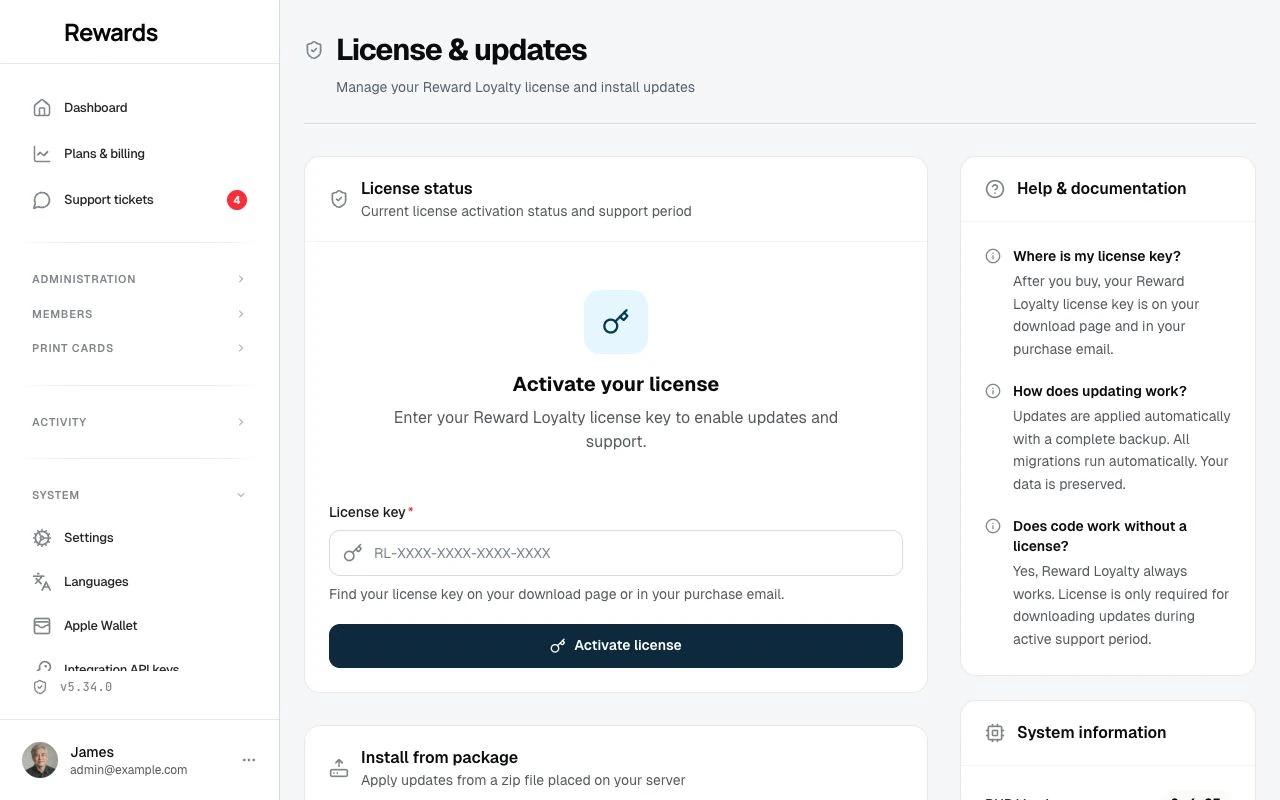
With your key in hand, open License & updates, enter the key, and click Activate license. Then click Check for updates and, once the release shows, Install update. You can also download the package at rewardloyalty.co/download and install it. See Updating for every method and the one that fits your hosting.
The update runs its migrations and clears caches the same as any release. No other steps needed.